The version of your page they will actually watch.
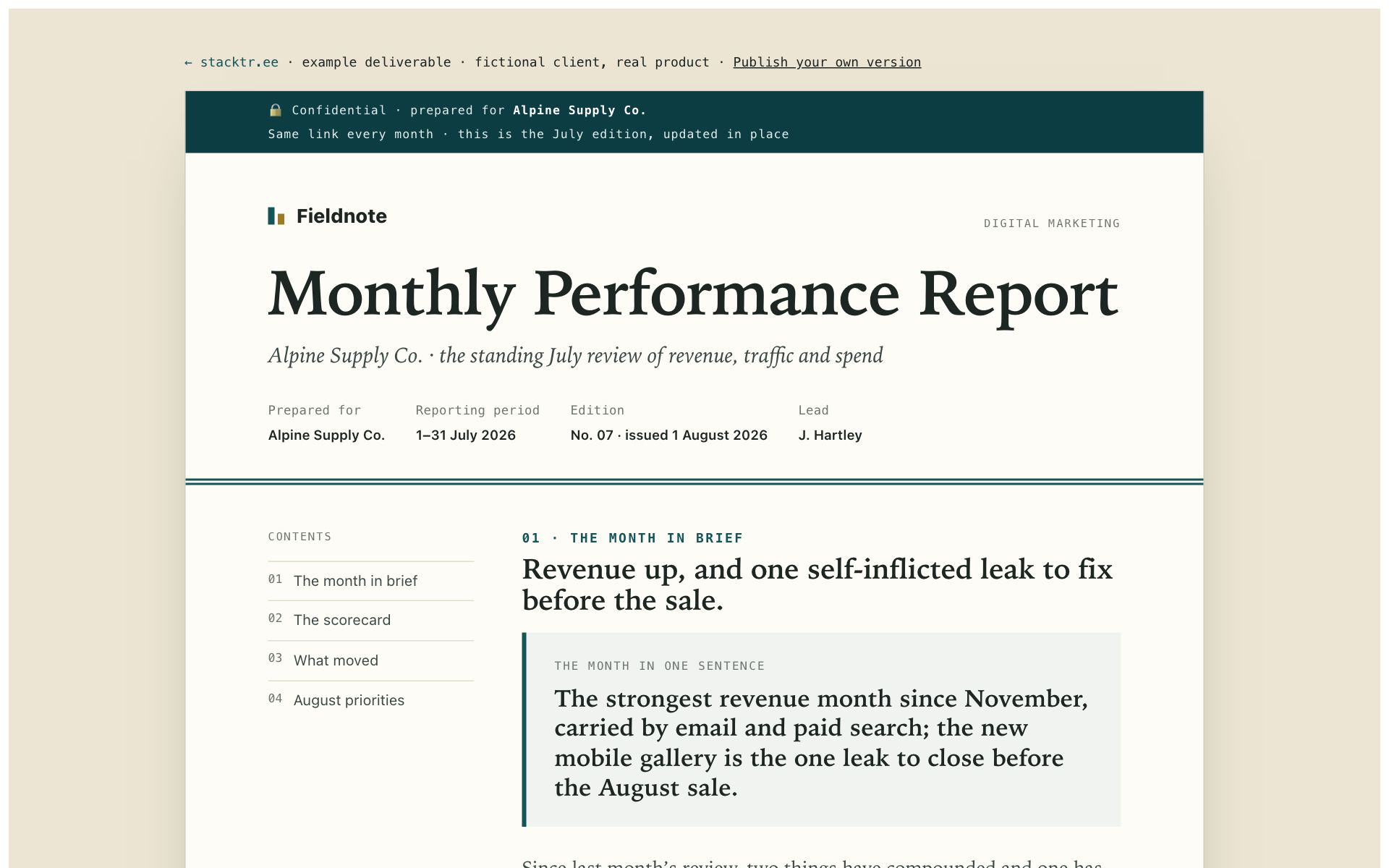
The example monthly report, with its video. Made from the page as published, with no edits.
You sent the proposal. You don't know if they opened it. Page video turns the page into a one-minute silent video in its own colours and type: the main point first, the few facts that matter, and what you are asking for last. Its picture goes in your email with a link that opens straight into it. Every line is checked against the page, and you approve it before anyone sees it.
Included on Studio and Firm · $19 per page otherwise · you check it before it goes live
How do you turn a web page into a video?
Host the page on Stacktree and add a page video from its screen in the dashboard. It reads the page, picks the facts that matter and lays them out as animated scenes in the page's own colours, fonts and header. Every figure on screen is checked against the page, you check the draft and publish it, and readers open it from a small card in the corner of the page. It is included on Studio (3 a month) and Firm (10 a month), and $19 per page on Free and Solo, each with two remakes.
The moment this exists for
You sent the proposal, the spec, the monthly report, and heard nothing. In our own reading data, 39% of recent pages were never opened at all, and the ones that were got a median of 33 seconds. The page was not wrong. The client never saw a reason to click, or had a minute when they did.
Page video gives them that minute on purpose: the main point, the numbers that matter, the decision you need. It goes in the email as a picture before they click, and it waits on the page once they do.
How it works
- You add it to the page. From the page's screen in the dashboard. Studio includes 3 a month and Firm 10; on Free and Solo it is $19, one-off.
- It is made in about a minute. The page is read end to end, the few facts that would change what the reader does are chosen, and each is laid out as a scene in the page's own design: its palette, its fonts, its header and the way it highlights a phrase.
- Every line is checked. Each line on screen is compared with the page. Anything the page does not support is left out and shown to you with the reason. If the page contradicts itself, you are told, and those figures stay off the screen.
- You check it and publish. Watch the draft in the dashboard or on the page itself, leave out any line, then publish. It can be hidden again with one switch.
- They watch, and you find out. A small card in the corner of the page plays the opening silently and folds out of the way once they start reading. One click opens it full size with chapters. Send the link with #watch on the end and it opens straight into the video, with a poster image for your email. The page's screen tells you how many opened it and how many watched to the end.
In the page's design, not a template
A discovery report in serif and claret gets a serif and claret video. A plan in yellow and ink gets yellow and ink. The video is built from the page's own design tokens, so nobody watching should be able to tell where the page ends and the video begins.
A wrong number is worse than no video
The video is only useful if the person you sent it to can trust it, so accuracy is not left to the model that makes it. A second, independent check compares every line with the page before you see the draft. In testing, it kept a report's "week commencing" dates off the screen after noticing they fell on a Tuesday.
How this compares
| Criterion | Recording a walkthrough yourself | Page video |
|---|---|---|
| Time to make | 20 minutes or more, with retakes | About a minute |
| Your face and voice | Yes | No, it is silent type |
| In the page’s own design | A screen recording of it | Rebuilt in its design |
| Every figure checked against the page | Only if you check | Yes, line by line |
| Works with the sound off | Needs captions | Yes, by design |
| Kept up to date when the page changes | Record it again | Two remakes included |
| Know who watched | Depends on the tool | Opens and completions on the page’s screen |
Frequent questions
What is page video? +
Why send a video as well as the page? +
How do you make sure it is accurate? +
Do I get to check it first? +
Will I know if they watched it? +
What does it cost? +
Can I send the page so it opens on the video? +
Does it have sound? +
Which pages can have a video? +
Is my page used to train AI models? +
Related guides
- Your client didn't skip the proposal. They never opened it. Thirty days of reading data on why the message matters more than the page.
- Ask this page Readers ask a question and the page answers, from the page only.
- See how your pages get read Opens, reading depth and the attention heatmap.
- Send a client report as a link The deliverable this was built for.
- Pricing The plans, and which ones include page video.
Send the page. They watch the minute.
Publish a page, add its video from the dashboard, check it and send the same link.
Sign up free →