Claude artifact: Page not found.
Someone at a client shares an artifact in Slack. You tap it, and Claude tells you it can help with many things but finding this page is not one of them. If you contract for companies that use Claude, you will see this screen a lot. Here is what it means, why nothing you do on your side fixes it, and the message that does.
No card · 3 pages free · about a minute
Why does a shared Claude artifact say Page not found?
Because the artifact was shared inside the sender's Claude organization and you are outside it. Claude shows "Page not found" instead of an access error. The same screen covers an Enterprise admin switching external sharing off and an artifact that was unpublished. Only the sender can fix it: by inviting your email address, if their organization allows it and you have a Claude account, or by sharing a copy that opens without one.
What the screen is hiding
The page looks like a broken link. It is not. The artifact exists, the URL is right, and the sender can open it fine. Claude answers every request it will not serve with the same not-found page, so a permission problem and a deleted page look identical from where you are standing.
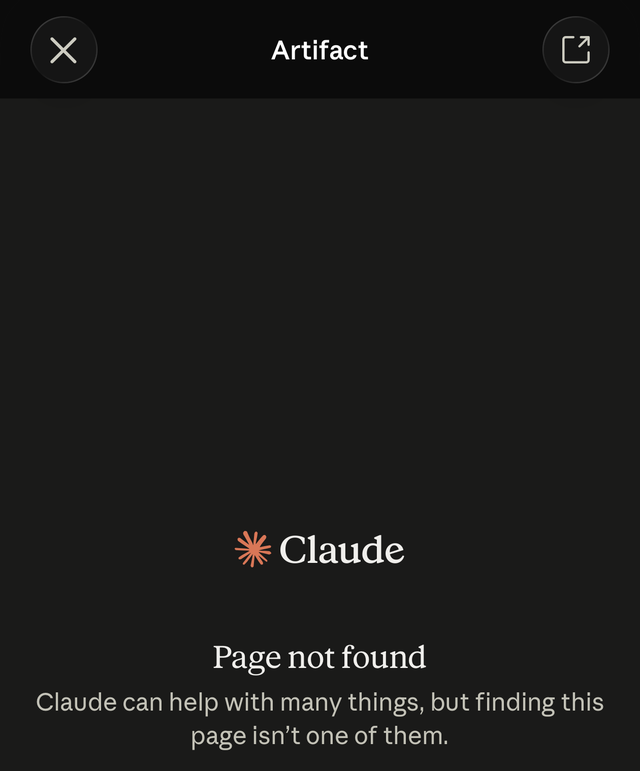
That is the screen from a client's Slack channel, opened by a contractor who is not in the client's Claude organization. The artifact was fine. The audience setting was the problem.
The three causes
- It was shared with the organization, not with you. On Team and Enterprise plans an artifact can be shared with "Only people with access" or "Everyone in your organization". Both check the account you are signed into. If your account is not in that organization, or you are not signed in at all, you get the not-found page. This is the common case, and it is the default a colleague picks when they want to share "internally".
- External sharing was switched off. On Enterprise, public links only work while an Owner has external sharing enabled for the organization. Anthropic's help center is explicit that turning it off later stops every existing public link until it is turned back on. A link that worked last week and died this week, with nothing changed on the artifact, is usually this.
- It was unpublished. Unpublishing is permanent. The link dies, the artifact can never be published again, and any storage it used is deleted. The sender would have to create a new artifact.
A fourth, smaller one: you are signed into a different Claude account than the one the sender expects. If you have both a personal account and a client-issued one, switch and try again before sending the message below.
Why it keeps happening to contractors
Sharing inside Claude is built around the organization. On Team and Enterprise, the choices are people in the org, everyone in the org, or the public. On Pro and Max, the choices are a link or an email invitation. Email invitations (beta) are the only way to reach one named person outside the company, and they work only if that person has a Claude account at the invited address and, on Enterprise, an Owner has turned outside invitations on. Claude Code artifacts follow the same rules: private to the author until shared.
So the person at the client does the sensible thing, keeps it internal, and sends you the link. They see the page. You see the 404. Nobody did anything wrong, and the system has no setting that describes your relationship to the company.
What to ask the sender for
If you have a Claude account and their organization allows outside invitations, the quickest fix is an email invitation to your address from the artifact's Share menu. If not, or if the page is going on to someone without Claude, send this back: "I can't open artifacts shared inside your organization. Could you publish it to Stacktree and send me that link?"
What that costs them depends on where they work:
- Claude Code, Codex or Cursor. The sentence is enough. Those agents can make the request themselves, no account and no key, and hand back a private link that opens for you with no login.
- claude.ai chat. The chat cannot call an outside service on its own; we tested it, and it says so. They add the Stacktree connector once, a single paste of a URL into Claude's connector dialog, then ask Claude to publish the artifact. From then on it is one sentence for every future page.
- Neither, or no time. Ask for the HTML file. Then publish it yourself in a minute and you hold the link, which means the next change to their org settings cannot break it.
Whichever route, the link you get back is private, opens in any browser without an account, and can carry a passcode or a company email gate if the content warrants one. If you are the one who will send it onward to your own client, it can sit on your domain too.
Why not "Anyone with the link"
It is the quickest fix and the wrong one for most of what gets shared this way. A public artifact opens for anyone, and it can be indexed. A search of the public artifact address on claude.ai turns up clinical trial summaries with per-patient results, client onboarding policies, fiscal compliance dashboards, stock predictions, all published by people who almost certainly meant them for a handful of readers. On Team and Enterprise the switch also needs an Owner to have enabled public sharing at all, which is a conversation your contact may not want to start for one file.
A private link solves the problem the sender actually has, getting one page to one outsider, without turning the page into a search result.
If you are the sender
The contractor cannot fix this from their side, so the message above will keep arriving until the page lives somewhere that does not check for an org account. Publish deliverables meant for outsiders on a private link from the start, keep the Claude artifact for the internal audience, and you stop being the reason someone sees that screen.
Fix it now
You've read why the public link is a problem. Paste the artifact here and get a private one, no account, and a passcode if you want it.
Frequent questions
Why does a Claude artifact link say "Page not found"? +
How do I open a Claude artifact shared with an organization I am not in? +
What should I ask the sender to do? +
Should I ask them to switch the artifact to "Anyone with the link"? +
Can the sender share a Claude Code artifact with someone outside the company? +
I am the sender. Why did my link stop working for someone who could open it last week? +
Related guides
- Are Claude artifacts private? How to share one without making it public The sender-side guide: copy the HTML, publish, send a link that needs no Claude account.
- Are Claude artifacts public? The sharing matrix by plan, and now how to unpublish and what that does not undo.
- Claude Code artifacts: publish, plans, private sharing What Claude Code publishes, on which plans, and who can see it.
- The Stacktree connector for claude.ai One paste, then "publish this to Stacktree" works from any chat.
- Clients view without an account Why the link itself should be the credential when the reader is outside the company.
Sources and further reading
- Publish and share artifacts (Claude Help Center) ↗ The audience options per plan, the Enterprise external-sharing switch and what turning it off does, and the permanence of unpublishing.
- Artifacts (Claude Code docs) ↗ A new artifact is visible only to you; sharing is within the organization on Team and Enterprise, and a public link is the only option on Pro and Max.
- "Directors and VPs discovering Claude Artifacts" (Vic Vijayakumar, 16 September 2026) ↗ The thread where the replies are about exposure and indexing, the other half of the same sharing model.
No org, no account, still opens
A private link per page, gated when it needs to be, on your domain when it goes onward. Published from Claude Code, Codex, Cursor, or claude.ai with the connector.
Sign up free →